Clipboard Monitoring Update 07-28-2022
Overview
It explains about clipboard monitoring feature to get an image data on clipboard.
Due to security specification on OS, Usually a uwp app in inactive isn't permitted to access on clipboard data.
In order to solve this issue, OCR de PawS supports for interprocess communication with a desktop app using .net6 on MSIX package.
Its desktop app works as a monitoring agent for clipboard. (version 2.13.3 later)
Because to do that, Even though when this app in inactive, User can automatically OCR an image data on clipboard while operating other app.
When user works using multiple monitors, it's so good.
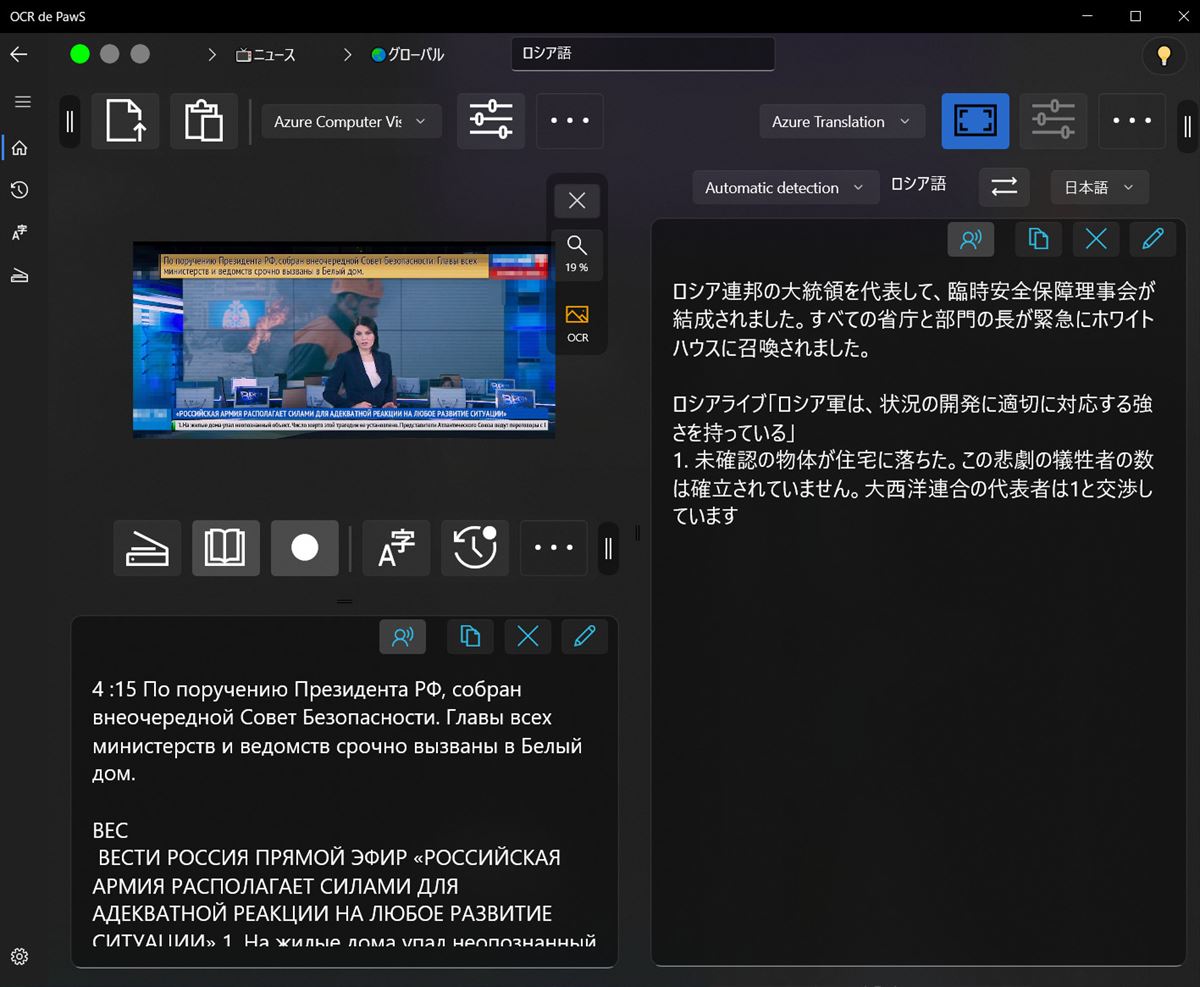
Start and Exit
It explains how to start and exit.
1. Start
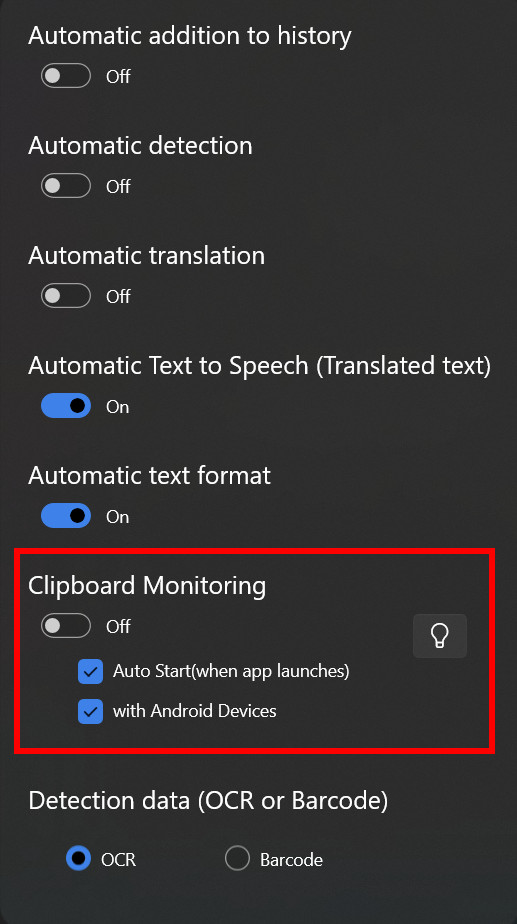
"Clipboard Monitoring" on OCR common options panel , Switch on to start.
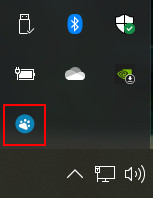
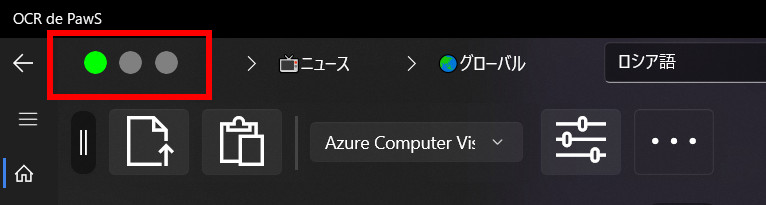
When it normally starts, a green lamp turn on the light and the monitoring agent icon will be shown on task tray.
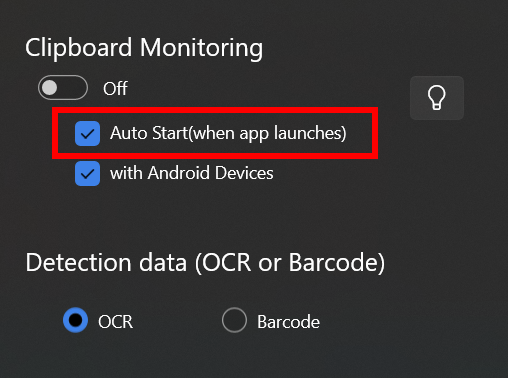
If you want to automatic start when this app launches, check 'Auto Start'.
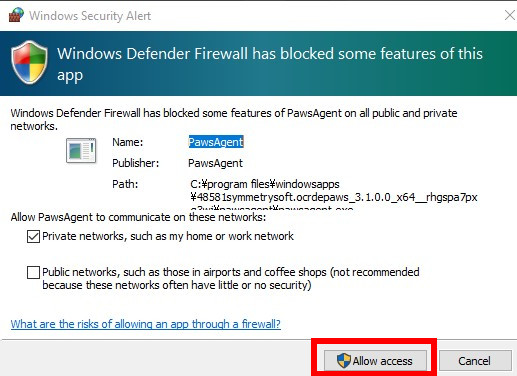
When firewall has blocked and is shown alert message, select 'Allow access' button.
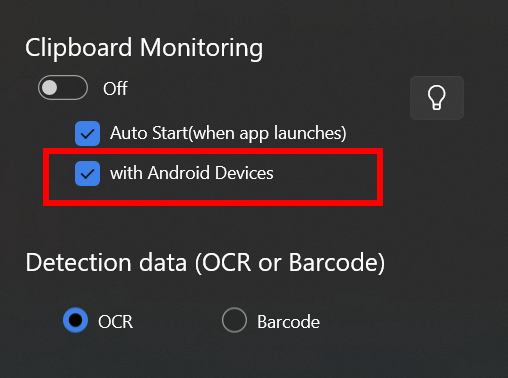
When it connect with android devices on local network, check 'with Android Devices' too.
※OCR common options panel, user can open using a commands bar panel or by right click on an image showing area.
2. Exit
"Clipboard Observer" on OCR common options panel , Switch off to stop.
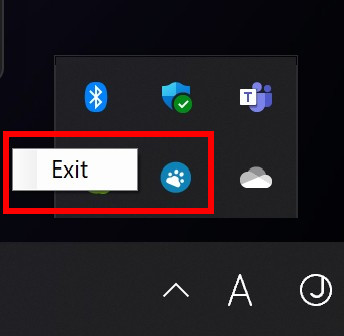
User can exit using an agent icon on task tray too.
When it normally stop, a green lamp is switched the light off and the monitoring agent icon on task tray will be hidden.
Status Lamps
It explains about specification of status lamps.
Lamps
- 🟢Green: A monitoring agent is working.
- 🟠Orange: The clipboard has been changed.
- 🔵Blue: An image which notified from a monitoring agent is processing.
A uwp app and a monitoring agent, if some type of trouble occurs and can't communicate each other, the agent will be automatically exit and a green lamp is switched the light off.
When user wants to continue to monitor for clipboard, enable the switch again.
A monitoring agent will be exit when a uwp app(OCR de PawS) is exited by user, too.
Notes
OCR detection and a translation can work when app is minimized, but a translated text will be not talked by voice synthesize. Don't minimize when user wants a text speech.